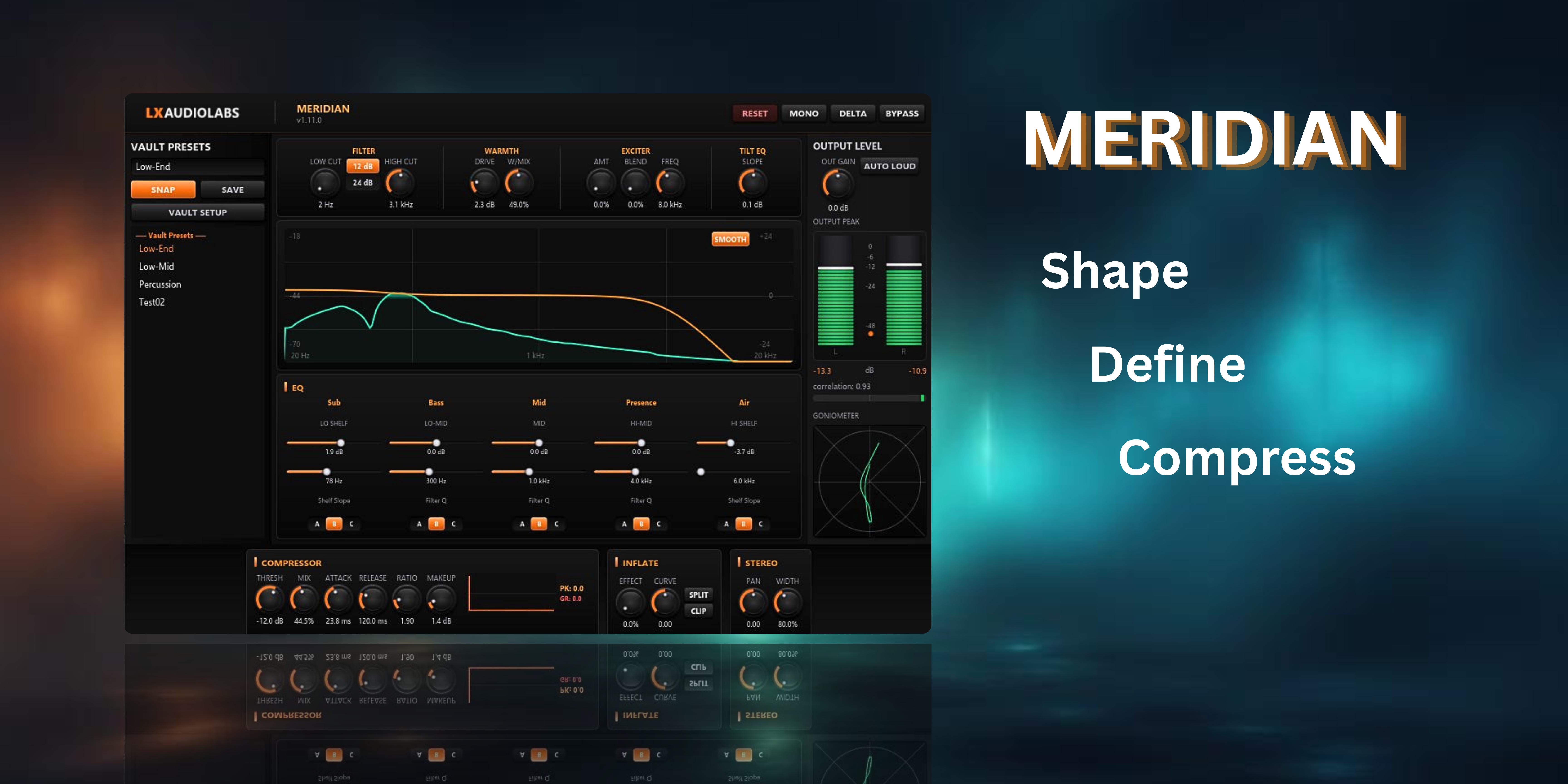
Meridian v1.11.2
Meridian is a channel shaper built for tracks and group channels that need both surgical EQ and character. It combines a 5-band parametric EQ with variable frequencies, a soft-knee compressor, and analog-style saturation in a purpose-built signal flow.
Unlike traditional mixing chains that separate tonal shaping from dynamic control, Meridian uses an intentional hybrid approach: exciter before compressor, saturation after. The compressor reacts to the harmonics you create with the exciter — resulting in denser, more organic glue. Saturation then adds warmth on top, subtly coloring the already-shaped dynamics. The result is neither overprocessed nor sterile — just focused shaping that stacks intelligently.
Every move is visualized in real-time: a 1/3-octave-smoothed FFT spectrum shows your mix after processing, with an amber EQ-curve overlay displaying the exact effect of each band. Phase correlation and goniometer monitoring ensure your stereo image stays tight and intentional. Solo bands to isolate problem frequencies, and export your settings as a structured Markdown snapshot for AI-assisted feedback and iteration — this is mixing that shows its work.
No license, no paywall — just free tools.
If you want to help and support this project, sponsor us on GitHub or buy us a coffee.
Download
Mac builds are for Apple Silicon (M1–M4). Intel Macs not supported.
How to install
- Download the
.zipfile for your platform - Extract the
.clapbundle and copy it into your CLAP folder: - Windows:
C:\Program Files\Common Files\CLAP - Mac:
/Library/Audio/Plug-Ins/CLAPor~/Library/Audio/Plug-Ins/CLAP - Linux:
~/.clap - Or create your own folder and add it in your DAW's plugin settings
- Restart your DAW — or use its plugin reload/scan function
Update: Just replace the old .clap file with the new one from the ZIP and reload your DAW.
System Requirements
| Windows | Windows 10/11 64-bit (OpenGL 3.0+) |
| macOS | Apple Silicon (M1–M4), OpenGL 3.0+ |
| Linux | Modern distro with OpenGL 3.0+ drivers (Mesa) |
| GPU | OpenGL 3.0+ — any GPU from ~2008+ |
| DAW | CLAP-compatible (Reaper, Bitwig, Studio One, FL Studio) |
GPU-accelerated UI: Slint + FemtoVG (OpenGL). OpenGL 3.0 support is near-universal — any GPU since ~2008 works. If hardware OpenGL is unavailable (Remote Desktop, VM without GPU passthrough), the editor won't open, but the DAW and audio processing continue normally. Learn more in the FAQ.
Features
- 5-band parametric EQ with variable frequencies (Bass, Lo-Mid, Mid, Hi-Mid, High)
- Per-band slope selection (A/B/C: gentle / medium / steep)
- Tilt EQ for tone shaping (−2 to +2 dB around 1 kHz pivot; warm/bright toggle)
- High-frequency exciter with harmonics-only saturation (placed BEFORE compressor)
- Soft-knee compressor (1.5–4.0:1 ratio, automatic knee, with GR envelope visualization)
- Compressor mini display — real-time gain reduction meter in the main UI
- Parallel compression for transparent tone shaping (0–100% mix)
- Inflate — upward expansion for adding density, sustain, and body
- Tube-style warmth saturation (DC-biased tanh, even harmonics — placed AFTER compressor)
- Global stereo width control (0–200%, L/R matrix)
- Real-time FFT spectrum (Blackman-Harris 4-term window, 1/3-octave smoothing)
- Amber EQ curve overlay showing exact band response
- Stereo phase correlation meter and goniometer visualization
- SNAP export — structured Markdown snapshot for AI feedback
- Spectrum smoothing toggle (smoothed / raw)
- Auto-loud LUFS metering
- Peak-hold reset on click
- UI zoom — 75% / 100% / 125%
- Zero-latency processing with denormal protection
Technical
- Format
- CLAP
- Platforms
- Windows 10/11 x64, Linux x64, macOS (Apple Silicon)
- Language
- Rust (AURA, Slint, FemtoVG)
Resources
SNAP — AI Analysis
Meridian ships with SNAP: export your complete plugin state — spectrum, band levels, parameters — as a structured markdown snapshot. Feed that into ChatGPT, Claude, or any LLM for analysis, suggestions, or a second opinion on your mix.
SNAP saves the snapshot as a .md (Markdown) file in your plugin's vault folder.
To read it, use any Markdown reader — we recommend
Obsidian
for the best experience.