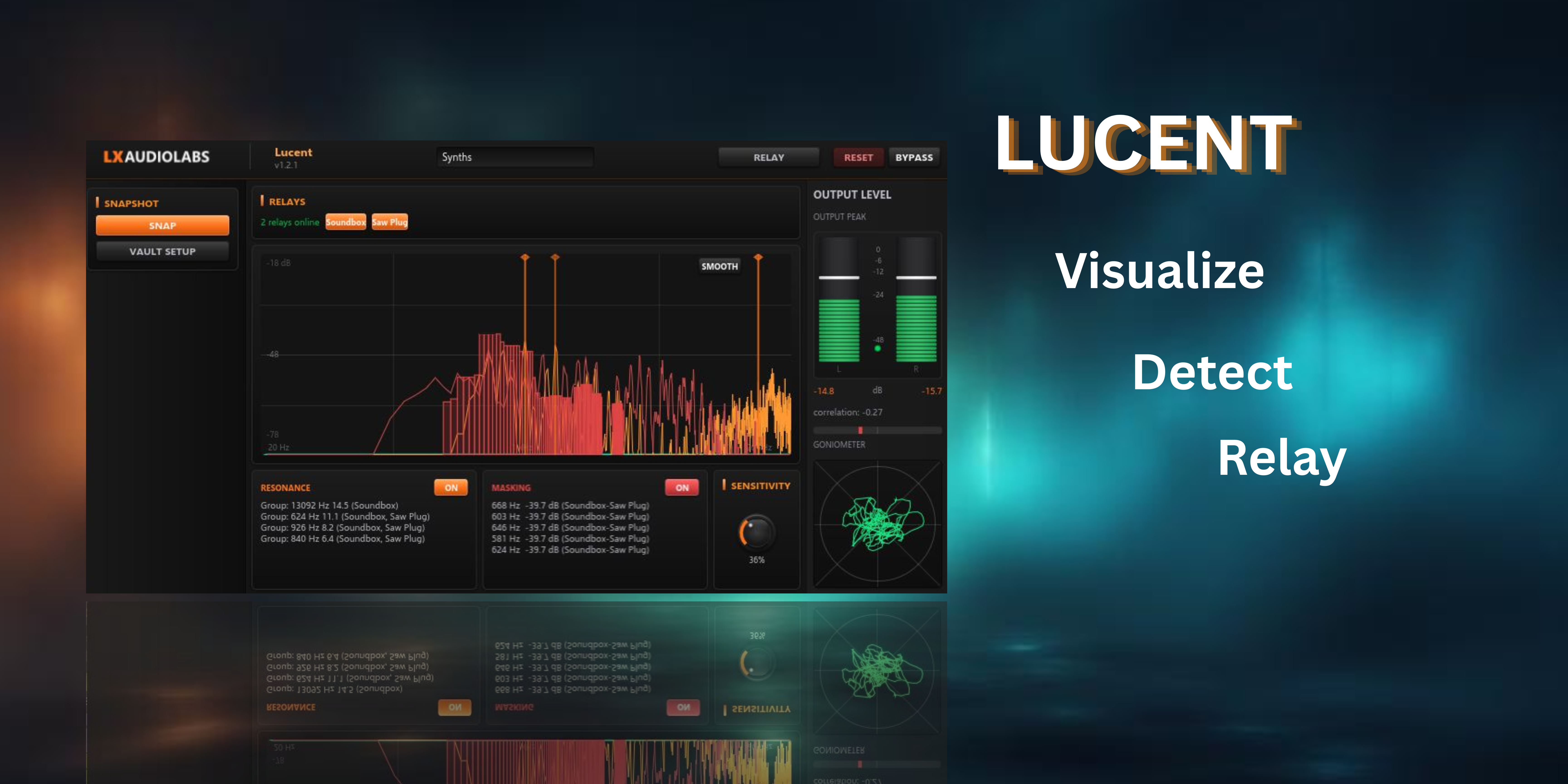
Lucent 1.2.2
Lucent is a multi-track spectral analyzer built for precision mixing. It renders a high-resolution FFT spectrum (Blackman-Harris 4-term window, 16 Ki FFT, 1/3-octave smoothing) with resonance peak detection and frequency masking overlays — see exactly where tracks collide and buildup before it becomes a problem.
Paired with Lucent Relay (included in the download), it enables inter-plugin spectrum sharing across tracks. Place Relay on any track to publish its FFT into a shared-memory ring buffer; Lucent aggregates spectra from all Relays in the session for group-level resonance comparison, masking analysis, and SNAP vault export — a structured Markdown snapshot of session max-hold resonance and masking data, ready for AI-assisted feedback.
Relay itself is a zero-latency pass-through — it publishes spectral data without touching your audio. Lucent and Relay communicate over a lock-free SHM ring buffer keyed by track name; multiple Lucent instances can independently subscribe to different Relay feeds. Built for producers who want to see their mix without context-switching between tools.
No license, no paywall — just free tools.
If you want to help and support this project, sponsor us on GitHub or buy us a coffee.
Download
Mac builds are for Apple Silicon (M1–M4). Intel Macs not supported.
How to install
- Download the
.zipfile for your platform - Extract the
.clapbundle and copy it into your CLAP folder: - Windows:
C:\Program Files\Common Files\CLAP - Mac:
/Library/Audio/Plug-Ins/CLAPor~/Library/Audio/Plug-Ins/CLAP - Linux:
~/.clap - Or create your own folder and add it in your DAW's plugin settings
- Restart your DAW — or use its plugin reload/scan function
Update: Just replace the old .clap file with the new one from the ZIP and reload your DAW.
System Requirements
| Windows | Windows 10/11 64-bit (OpenGL 3.0+) |
| macOS | Apple Silicon (M1–M4), OpenGL 3.0+ |
| Linux | Modern distro with OpenGL 3.0+ drivers (Mesa) |
| GPU | OpenGL 3.0+ — any GPU from ~2008+ |
| DAW | CLAP-compatible (Reaper, Bitwig, Studio One, FL Studio) |
GPU-accelerated UI: Slint + FemtoVG (OpenGL). OpenGL 3.0 support is near-universal — any GPU since ~2008 works. If hardware OpenGL is unavailable (Remote Desktop, VM without GPU passthrough), the editor won't open, but the DAW and audio processing continue normally. Learn more in the FAQ.
Features
- High-resolution FFT spectrum (16 Ki, Blackman-Harris 4-term, 1/3-octave smoothing)
- Resonance peak detection with visual markers and hover tooltips
- Frequency masking overlay — compare two spectra to see collision zones
- Lucent Relay — SHM spectrum publisher (zero-latency pass-through, included)
- Multi-instance Relay aggregation — compare spectra from multiple tracks simultaneously
- Max-hold + decay envelope with adjustable hold time
- SNAP export — structured Markdown snapshot of session max-hold resonance + masking
- Preset persistence with automatic load-on-launch
- FFT hover cursor — Hz/kHz frequency readout at the mouse
- Spectrum smoothing toggle
- UI zoom — 75% / 100% / 125%
- Zero-latency DSP — Lucent analyzes only, never touches your audio stream
Technical
- Format
- CLAP, LV2
- Platforms
- Windows 10/11 x64, Linux x64, macOS (Apple Silicon)
- Language
- Rust (AURA, Slint, FemtoVG)
Resources
SNAP — AI Analysis
Lucent ships with SNAP: export your complete plugin state — spectrum, band levels, parameters — as a structured markdown snapshot. Feed that into ChatGPT, Claude, or any LLM for analysis, suggestions, or a second opinion on your mix.
SNAP saves the snapshot as a .md (Markdown) file in your plugin's vault folder.
To read it, use any Markdown reader — we recommend
Obsidian
for the best experience.